Employee guide - Submit an expense claim
Contents
- Start a new expense claim – Navigate to: Expense claim — step 1
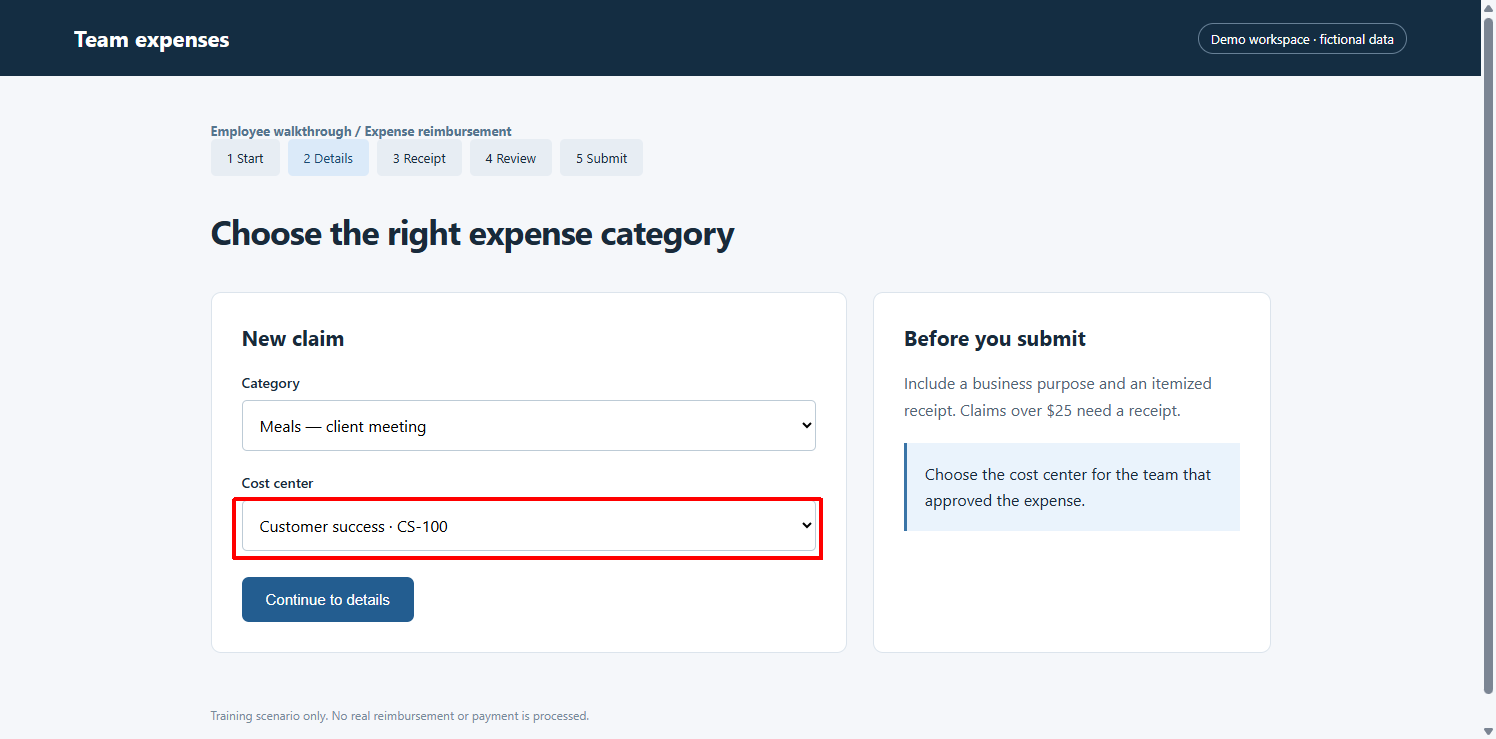
- Choose the category and cost center – Use the team that approved the expense. A clear cost center he…
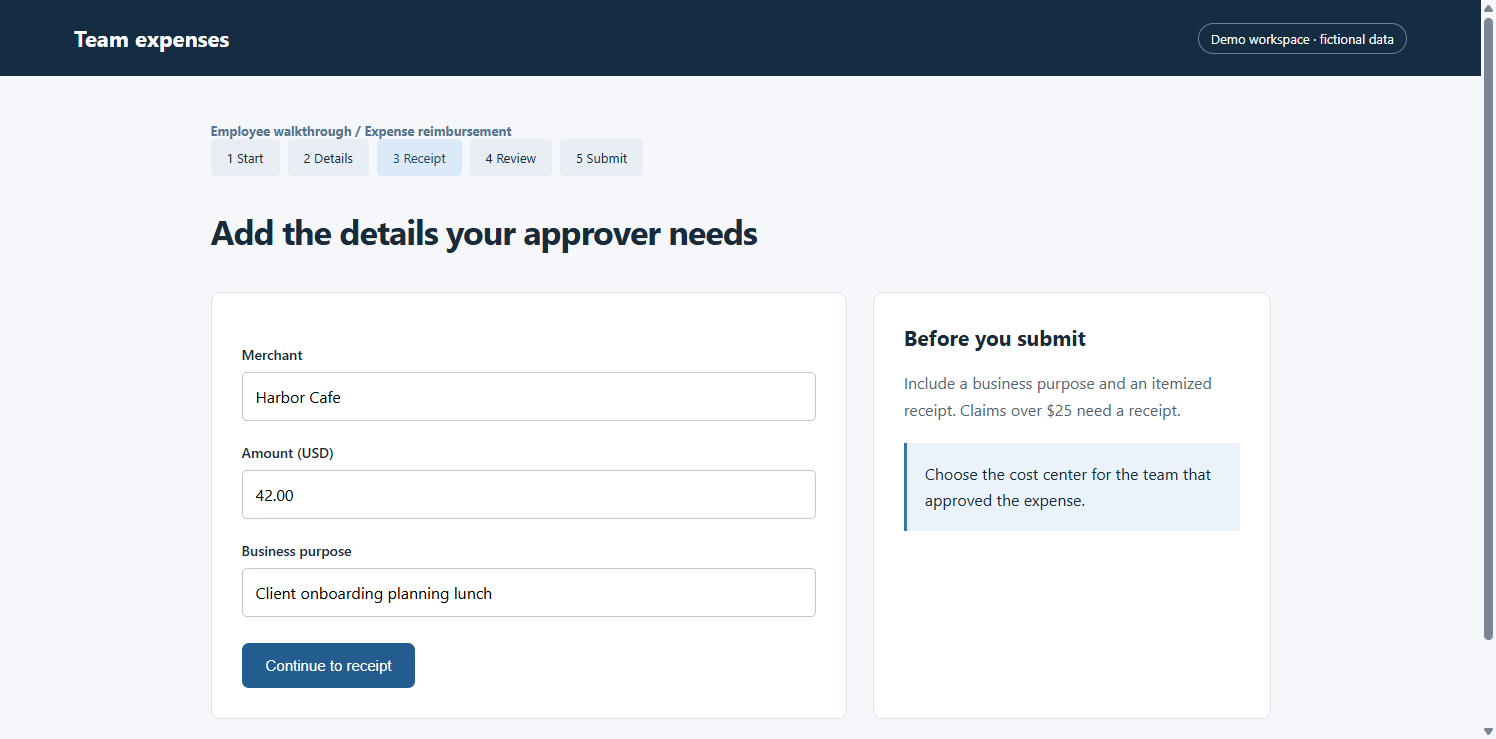
- Add the amount and business purpose – Navigate to: Expense claim — step 3
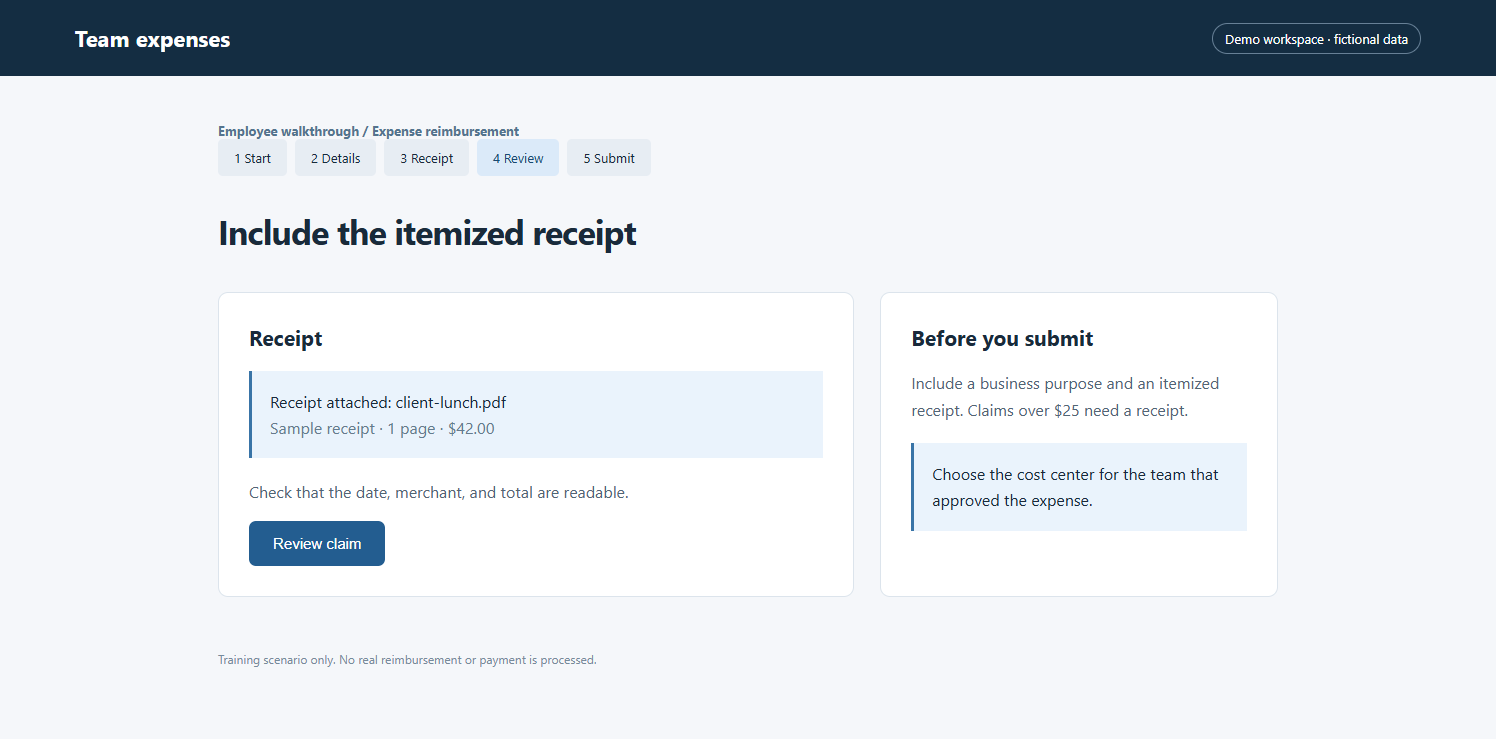
- Check the itemized receipt – Navigate to: Expense claim — step 4
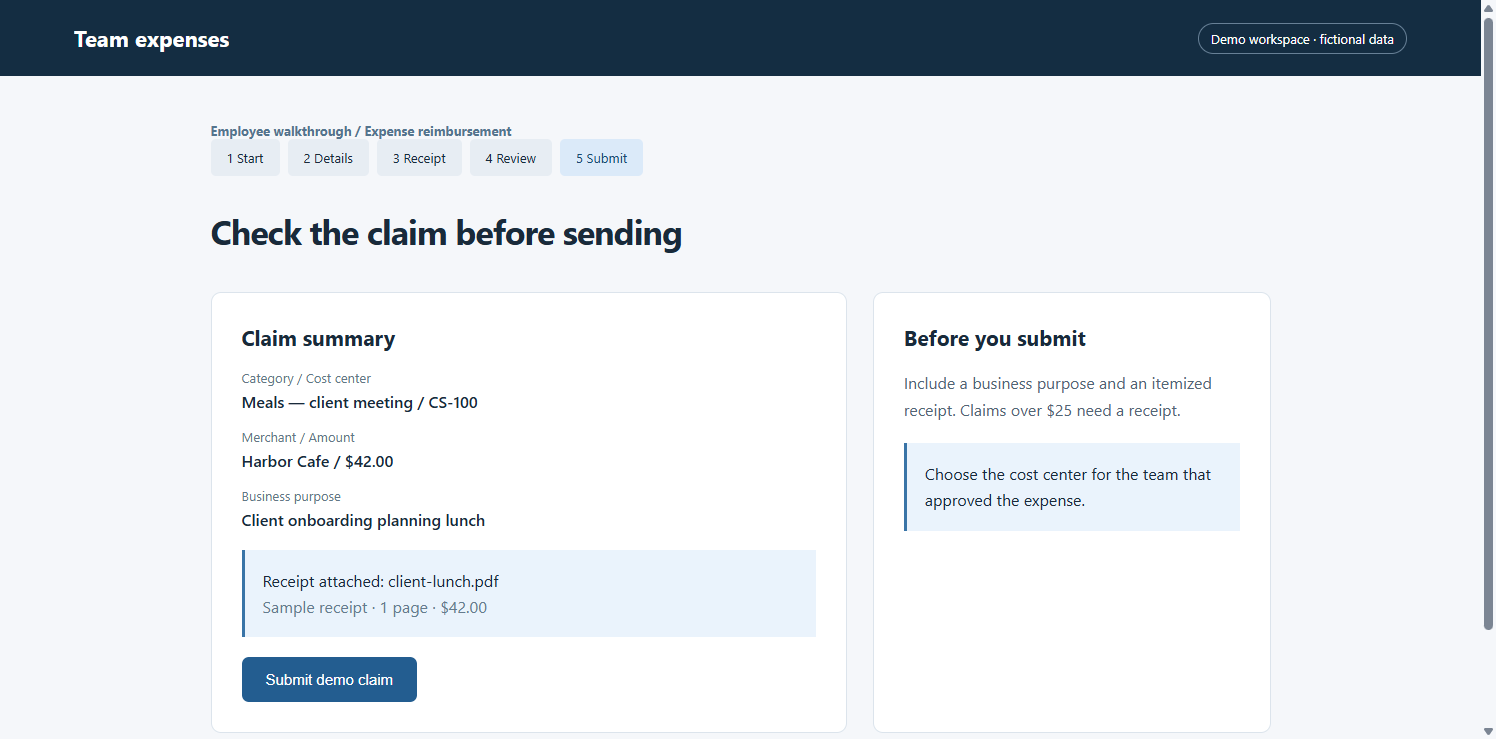
- Review the claim before submitting – Navigate to: Expense claim — step 5
- Confirm submission and next steps – Navigate to: Expense claim — step 6
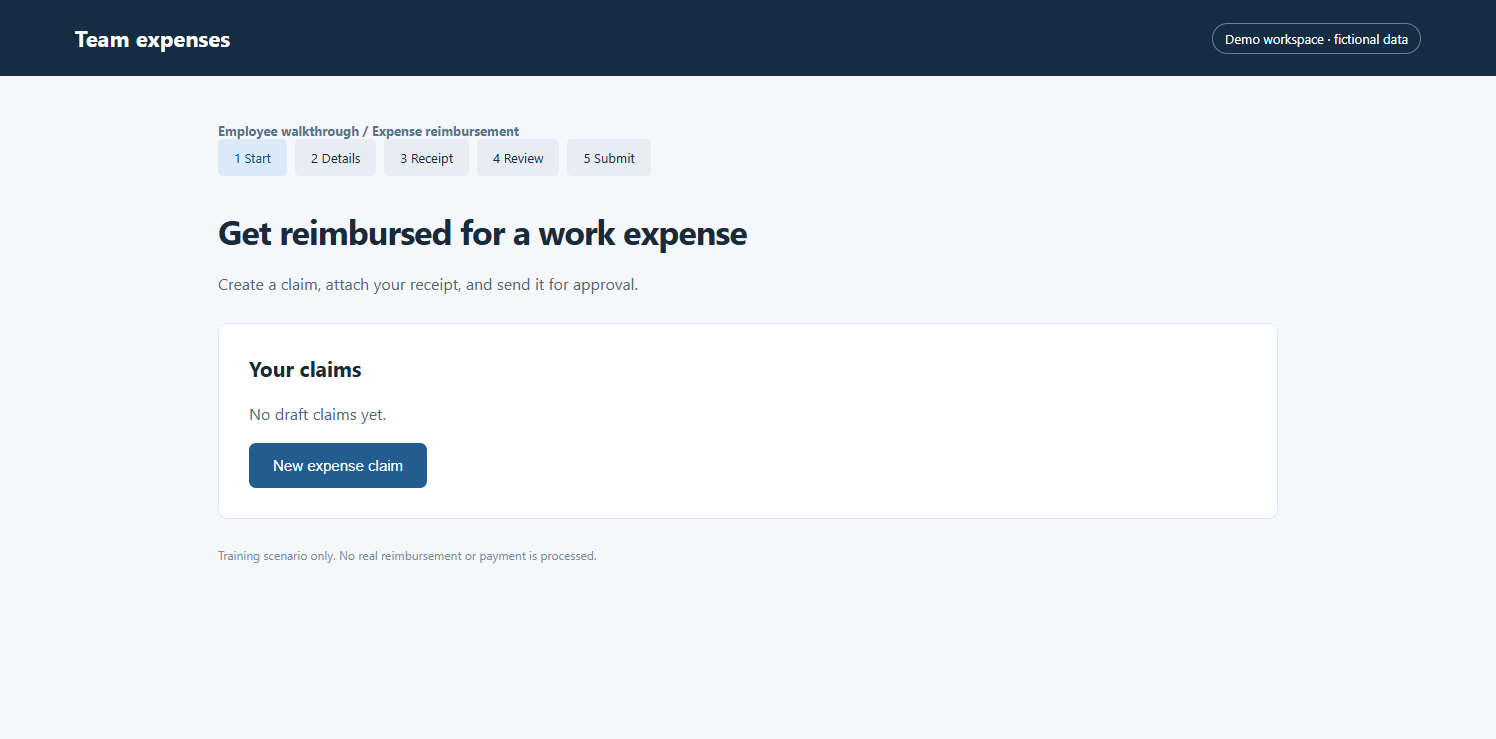
Step 1 – Start a new expense claim
Properties
Navigate
Navigate to: Expense claim — step 1
Step 2 – Choose the category and cost center
Properties
Navigate
Use the team that approved the expense. A clear cost center helps the approver route the claim correctly. This sample uses Customer success / CS-100.
Step 3 – Add the amount and business purpose
Properties
Navigate
Navigate to: Expense claim — step 3
Step 4 – Check the itemized receipt
Properties
Navigate
Navigate to: Expense claim — step 4
Step 5 – Review the claim before submitting
Properties
Navigate
Navigate to: Expense claim — step 5
Step 6 – Confirm submission and next steps
Properties
Navigate
Navigate to: Expense claim — step 6
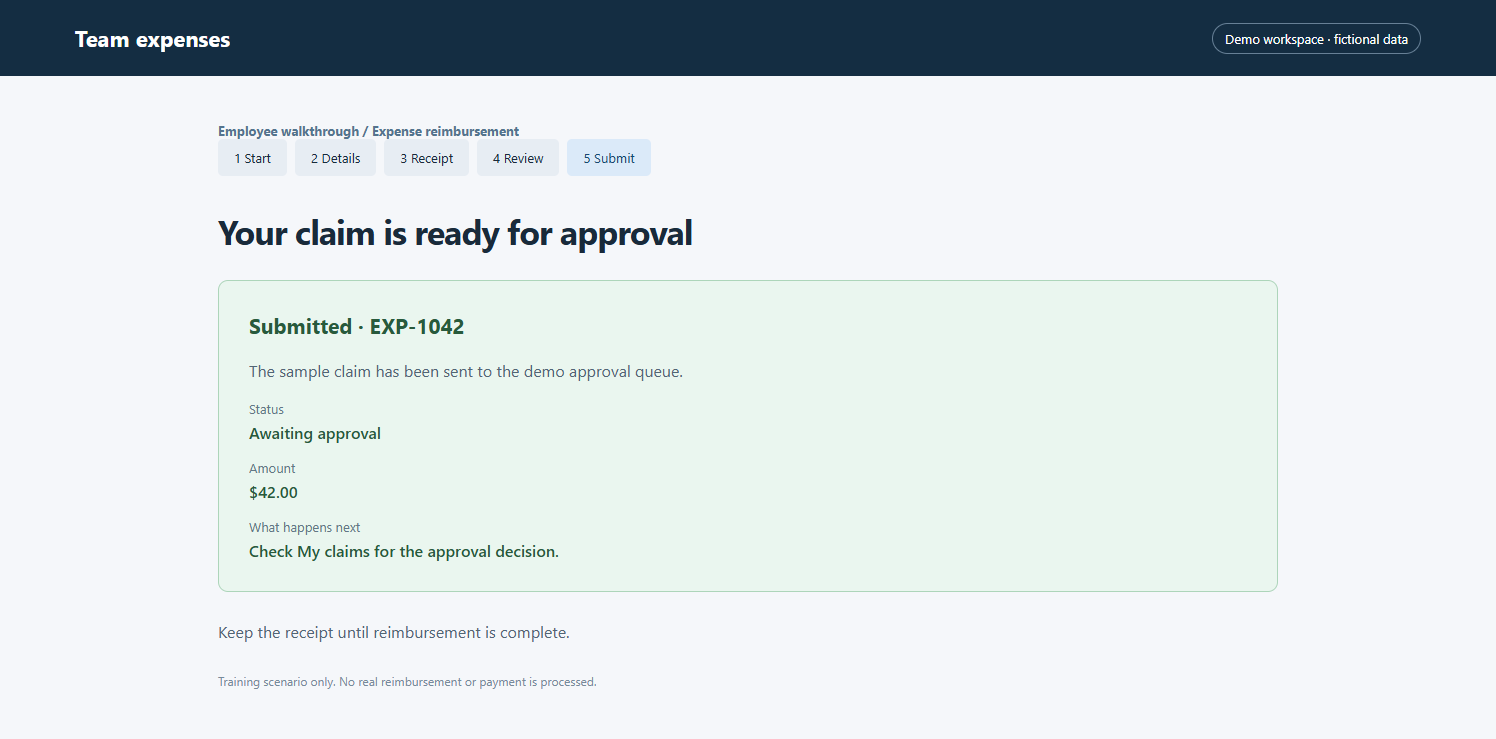
Image Gallery
×
‹
![]() ›
›